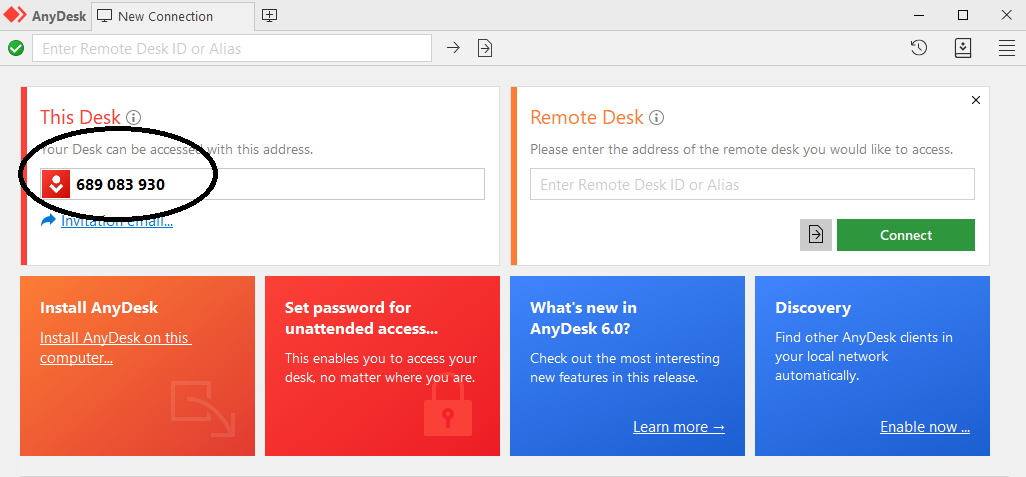
1. Download the app This app shares the screen of your computer with the technician, so they can solve your problem remotely. You retain control of your keyboard and mouse, so you can disconnect at any time. 2. Run the app
3. Send us the code
Once the technician tries to connect, this window will appear 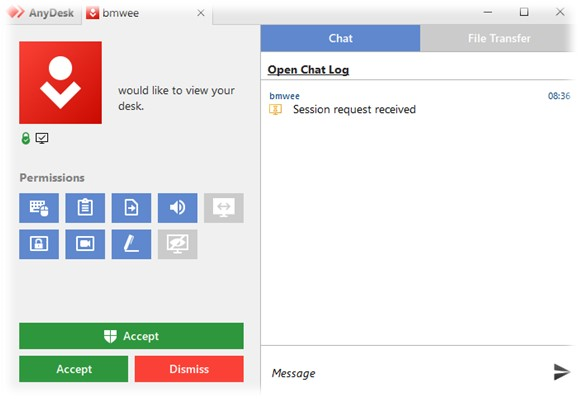
Click the Green Shield Accept button  to allow the connection to take place to allow the connection to take place
|